
Where AI agents help humans record polished and professional walkthrough, onboarding, SOP, product demo, support, tutorial videos.
Click through a task in Chrome. Puradoc writes the script, reads it in a natural voice, zooms in on every click, and builds the step-by-step guide. Send the link instead of booking another call.
How to Delist an Item in SellerHound
This guide shows you how to remove a listing from your SellerHound inventory. The inventory page is where all your listings live, making it the starting point for managing what's active.
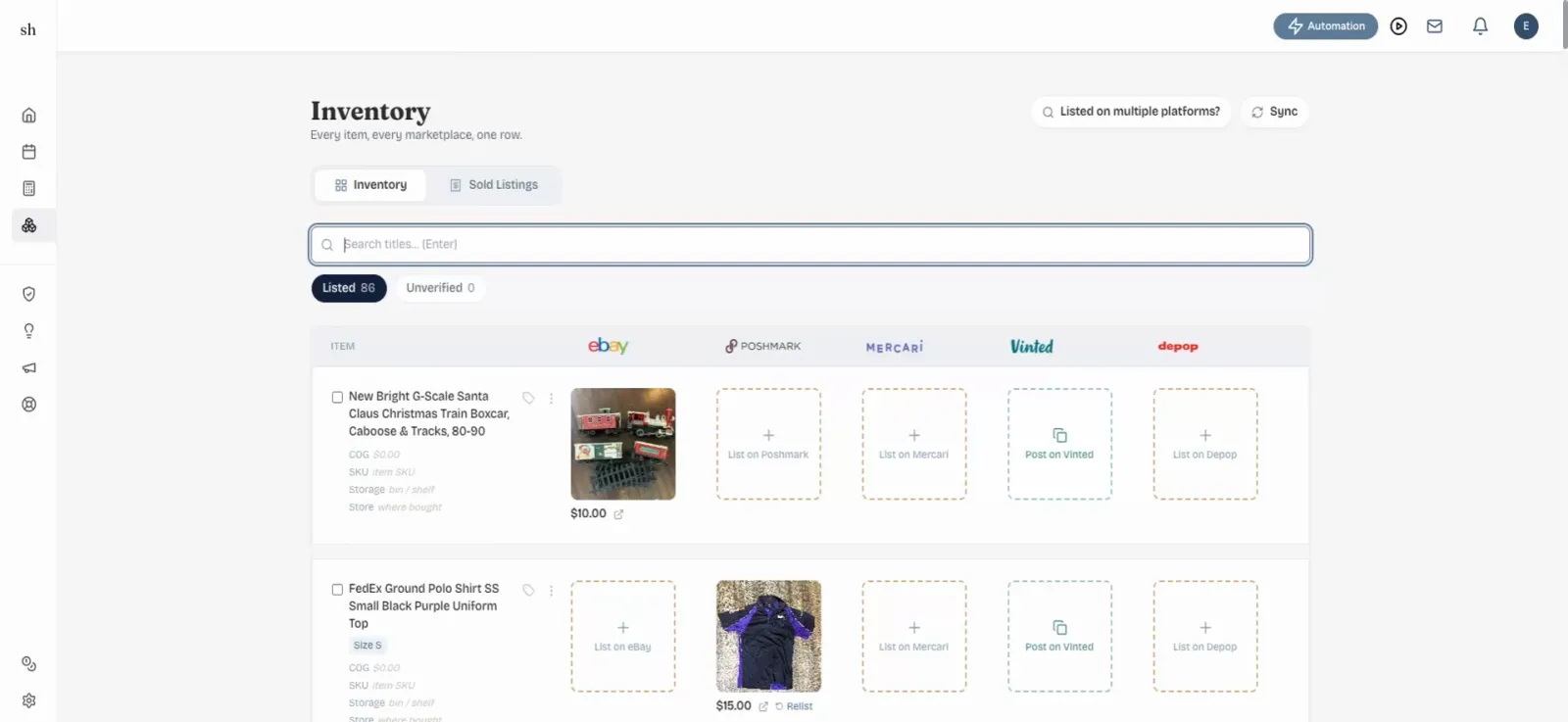
Open the Inventory page
Navigate to the SellerHound inventory page. This is where all your listings are stored and managed.
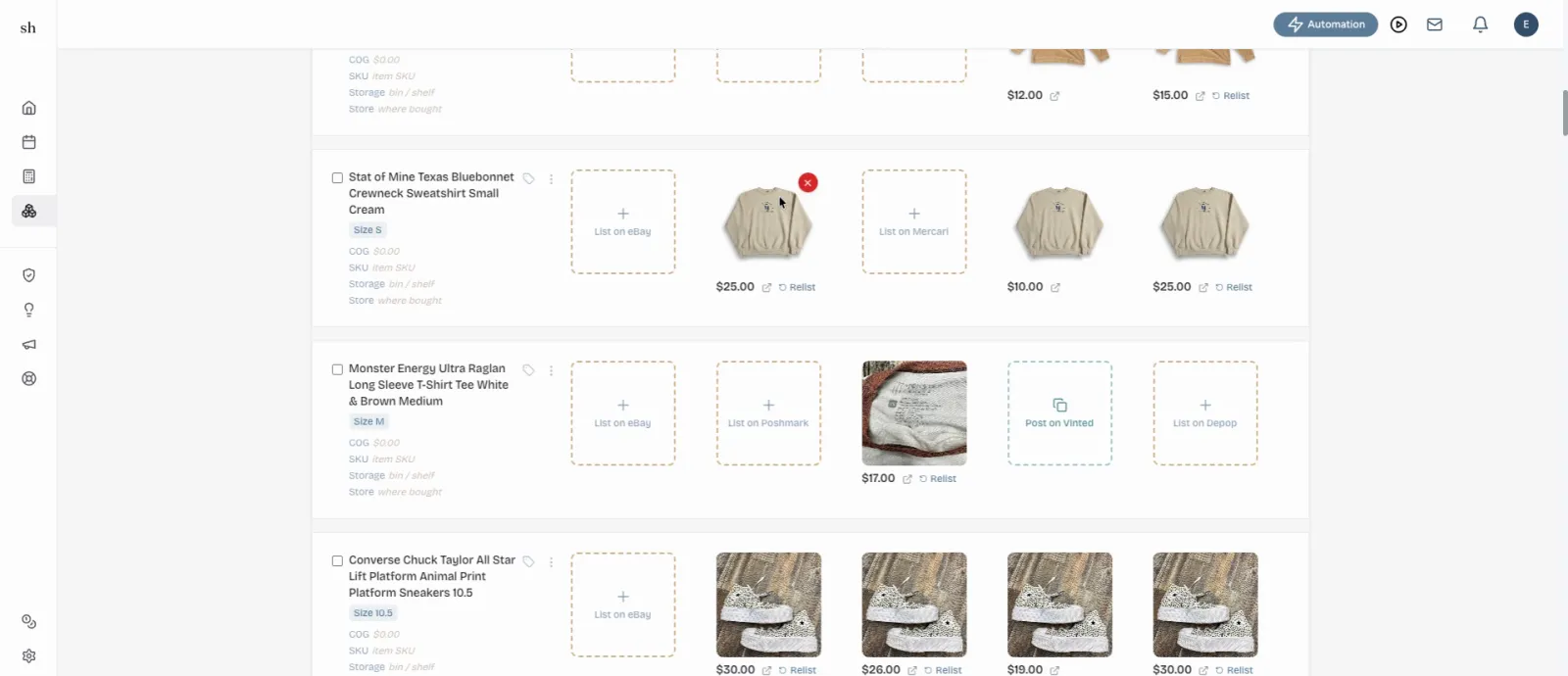
Click the X on the item
Find the item you want to remove and click the X next to it. A couple of options will appear, including 'Delist from Poshmark' and 'Wrong Match'.
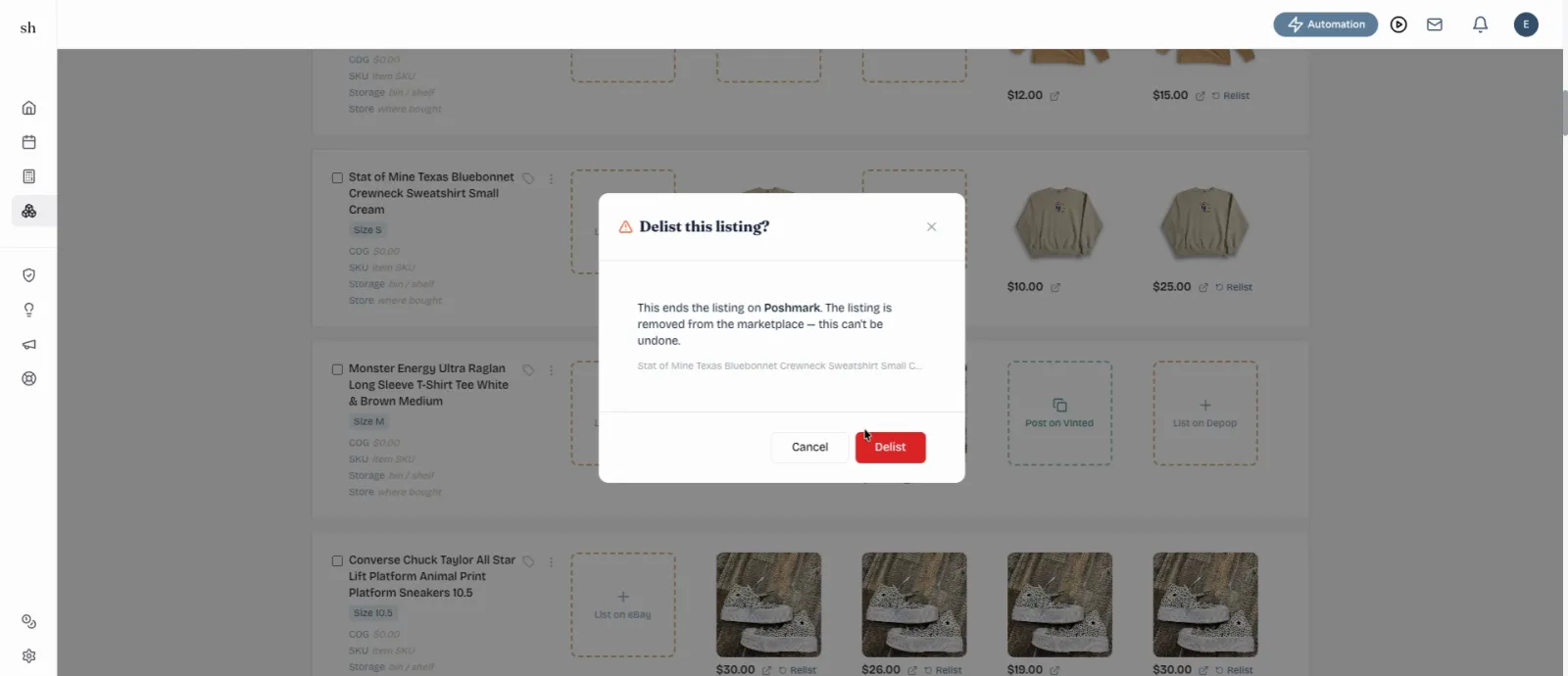
Select Delist from Poshmark
Choose 'Delist from Poshmark' from the options. After a couple of seconds, the item will be delisted and you're all set.
You do the task. Puradoc does the explaining.
- Step 1
Record it
Open the tab, hit record, and do the task the way you always do. Talk through it if you like. Silence works too.
- Step 2
Puradoc writes it up
Your clicks become a script, read aloud in the voice you picked. Every click gets a zoom and a short label, and a written guide with screenshots comes along with it.
- Step 3
Tidy up and send
Trim the pauses, reword a line and re-voice just that line, then export an MP4 or copy the guide.
The questions you answer every week, answered for good.
Built for people who run the business themselves. Record the answer once, then send the same link every time it comes up.
- “Where do I upload my files again?”A new clientOnboarding: sending us your files
- “How do you want the weekly report done?”Your VASOP: the weekly report
- “Can you show me how it works before I sign up?”A leadDemo: a two-minute tour
- “I can’t find the export button.”A customerSupport: exporting your data
- “Is there a lesson on connecting my domain?”A studentLesson 3: connecting your domain
Six voices. Pick one and keep it.
Your voice choice sticks across every recording, so your library sounds like one person made it. Change it for a single video whenever you want.